AI context management for your project knowledge
Nodary is an AI context workspace for teams whose project knowledge lives across documents, decisions and visual references. Its context studio helps you choose saved sources and assemble a brief you can review before using it in an AI conversation.
No account needed · Guide updated
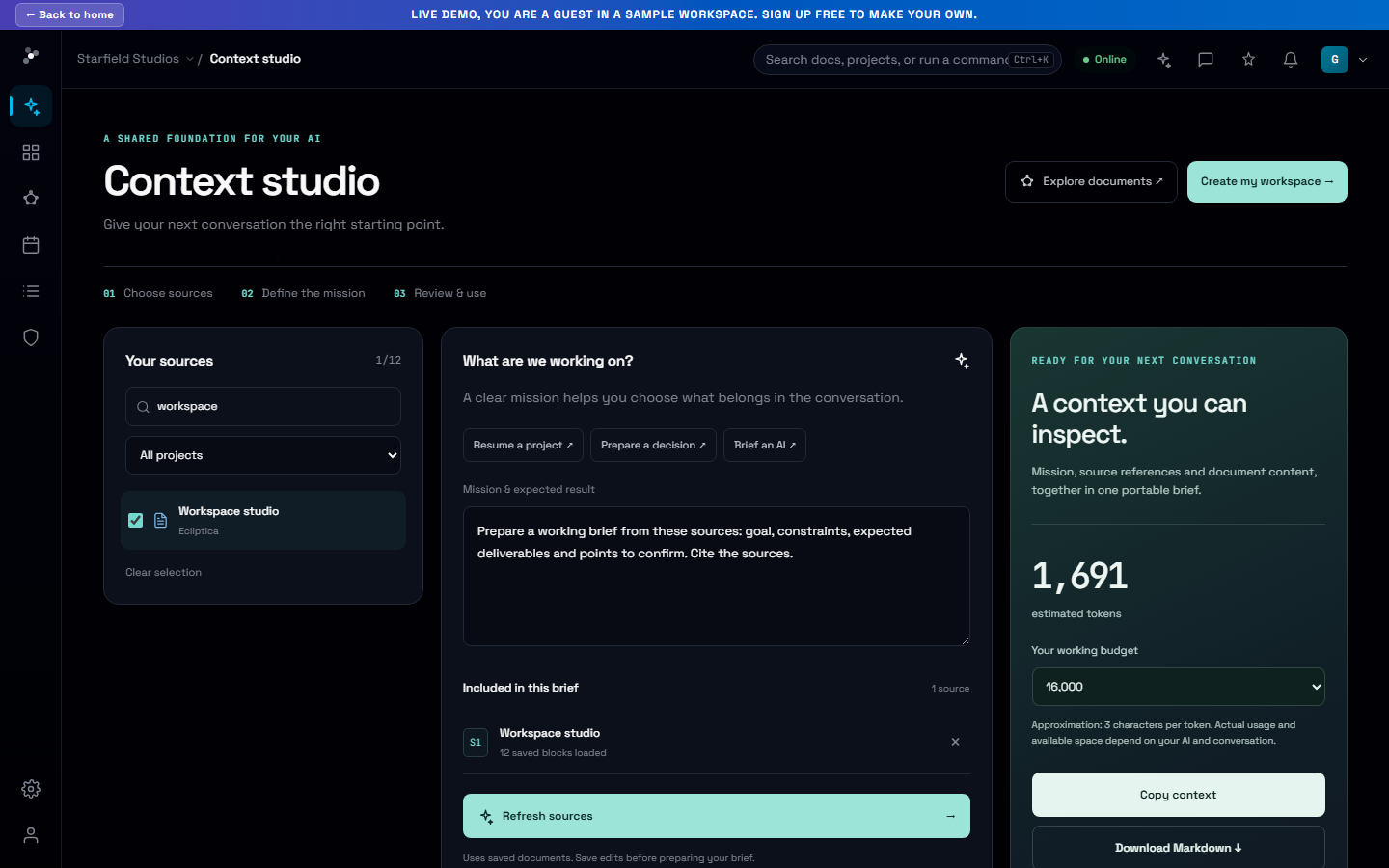
A clear mission, selected sources and a brief your teammate can inspect.
Start with the decision you need to make
An AI conversation needs a useful starting point: the task, relevant decisions and constraints. For a product launch, that might mean the specification, research notes and release plan. Write the mission in the context studio, then select those documents. You decide what belongs in the brief, so a broad project collection does not automatically become an oversized prompt.
Keep the connection to the original sources
The prepared brief includes document references alongside the content. Review it, copy it or download it in Markdown, then use it with the AI tool that fits your work. Keep the original documents connected in Nodary so the next brief can be prepared from the updated project. This is especially useful when several people need to explain the same project from different angles.
Your first workflow
- Open the context studio from the workspace home.
- Write a specific mission, such as reviewing a release plan against product constraints.
- Select the saved documents needed for that mission and prepare the brief.
- Review the content and references before copying or downloading the Markdown.
Pick up a project
Prepare a project handoff from the selected sources. Explain the goal, decisions already made, constraints and unresolved questions.
Sources to gather
- Project brief and current goals
- Decision log
- Latest status and open tasks
Expected result
A short overview, a table of confirmed decisions and open questions, then three next actions. Name owners only when the sources identify them.
Adapt the mission to your project and choose the sources to include. The template contains no project documents.
Frequently asked questions
Does Nodary give every AI permanent memory?
No. A context brief is a snapshot you prepare from saved documents. It does not install permanent memory in an external assistant or automatically update an existing conversation.
Can I use a brief with different AI tools?
Yes. Copy the text or download Markdown and use it wherever your chosen tool accepts that content. Input limits and file support depend on the receiving tool.
What happens to images and later changes?
Markdown references media with links rather than bundling image files. Save source changes and prepare the brief again to include them.
Source selection is explicit. The context studio does not automatically pick sources or send the brief to an external AI. The public demo uses sample documents; your real workspace requires sign-in.