Connected project documentation for teams
Project documentation becomes easier to use when its relationships are visible. Nodary brings documents into a connected workspace where a specification can sit beside its research, visual references and the decisions that explain it.
No account needed · Guide updated
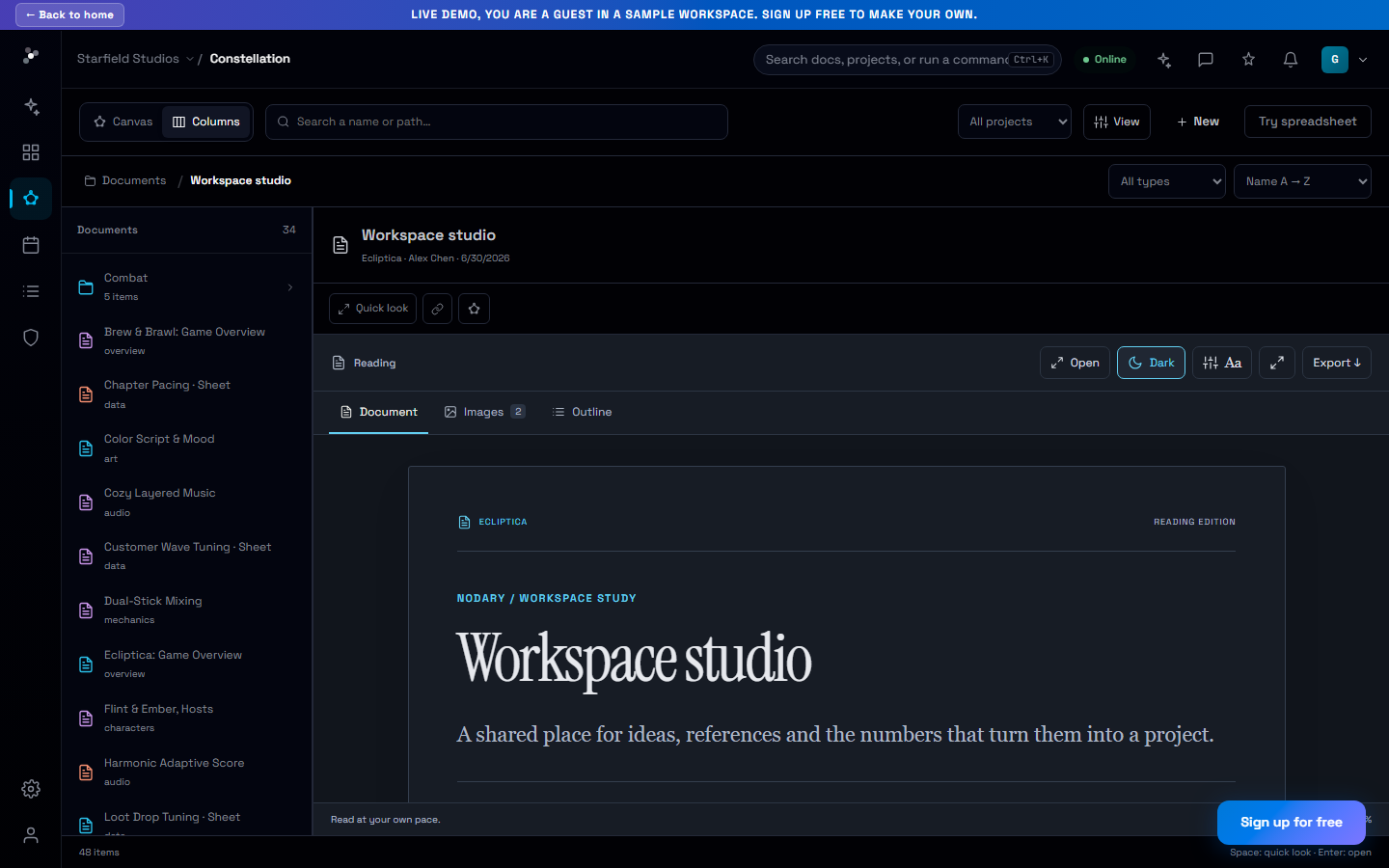
Find a document and understand where it belongs in the project.
Choose the navigation that fits the task
Use the constellation to explore relationships between project documents and clusters. Switch to the column browser when you want a familiar folder path with the hierarchy kept in view. Both views work with the same project structure. Select a document for a preview, move through nested clusters or return to the map when you need to understand its wider connections.
Read the detail without leaving the surrounding work
The document reader combines an outline, in-document search, visual references and an expanded reading mode. A long production checklist or a linked budget remains reachable from a quick preview. Keep decisions near their supporting material, then use Markdown, PDF or the available data exports when someone needs a portable copy outside the workspace.
Your first workflow
- Create a project and give its key documents clear, descriptive titles.
- Group related documents into clusters and add useful relationships.
- Choose Columns for a hierarchy or Constellation for a relationship map.
- Preview a document, search its content and export the material needed for the next discussion.
Review project knowledge
Review the selected documentation for conflicting decisions, missing definitions and questions that need an owner. Distinguish an actual contradiction from information that is simply absent.
Sources to gather
- Project overview
- Specifications and definitions
- Decision log and change notes
Expected result
An issue table with the affected sources, evidence, impact and a suggested clarification. End with a prioritized list of documentation updates; do not invent missing decisions.
Adapt the mission to your project and choose the sources to include. The template contains no project documents.
Frequently asked questions
Does switching views duplicate documents?
No. The constellation and column browser are two ways to navigate the same project hierarchy and documents.
Can I read documents in dark mode?
Yes. The reader follows the workspace theme by default and also offers explicit dark or paper reading preferences.
Can I prepare AI context from this documentation?
Yes. Open the context studio, select saved project documents and prepare a brief with their references. The selection remains under your control.
Nodary organizes content in its workspace. This workflow does not promise automatic synchronization with every external drive or an automatic semantic knowledge graph generated from all your files.