A free game design document template, in 12 languages.
Nine linked Markdown documents, from the pitch to the decision log, each saying what to write. Read them on the site, download the .zip, and import it into a project in one step.
Most teams start a game design document from a blank page, or from someone else’s sixty-page file. There is now a starting point that is short on purpose: nine linked documents, one per part of the design, each saying what to write and showing a short example from Saltmarrow, the sample game this site uses.
Nine documents, one per part of the design
The overview fits on one screen: a table of the essentials, the pitch, the pillars, the audience, comparable games, the scope and a link to every part. Eight parts follow: gameplay, systems and economy, world and story, levels and content, art and audio direction, interface and accessibility, technical design, and the production plan with its decision log. Each part names its owner and the date it was last reviewed, and ends with its open questions.
Read it before you download it
The template’s page shows every document as written, with its tables, checklists and diagrams, and draws the nine documents as a map: choose a star and its document opens. The page and the download come from the same words, in English, French and ten other languages.
Markdown that opens anywhere
The download is a .zip of Markdown files. Links between documents are relative links and diagrams are Mermaid, so the folder works in Obsidian, on GitHub and in any editor, without an account.
One import into Nodary
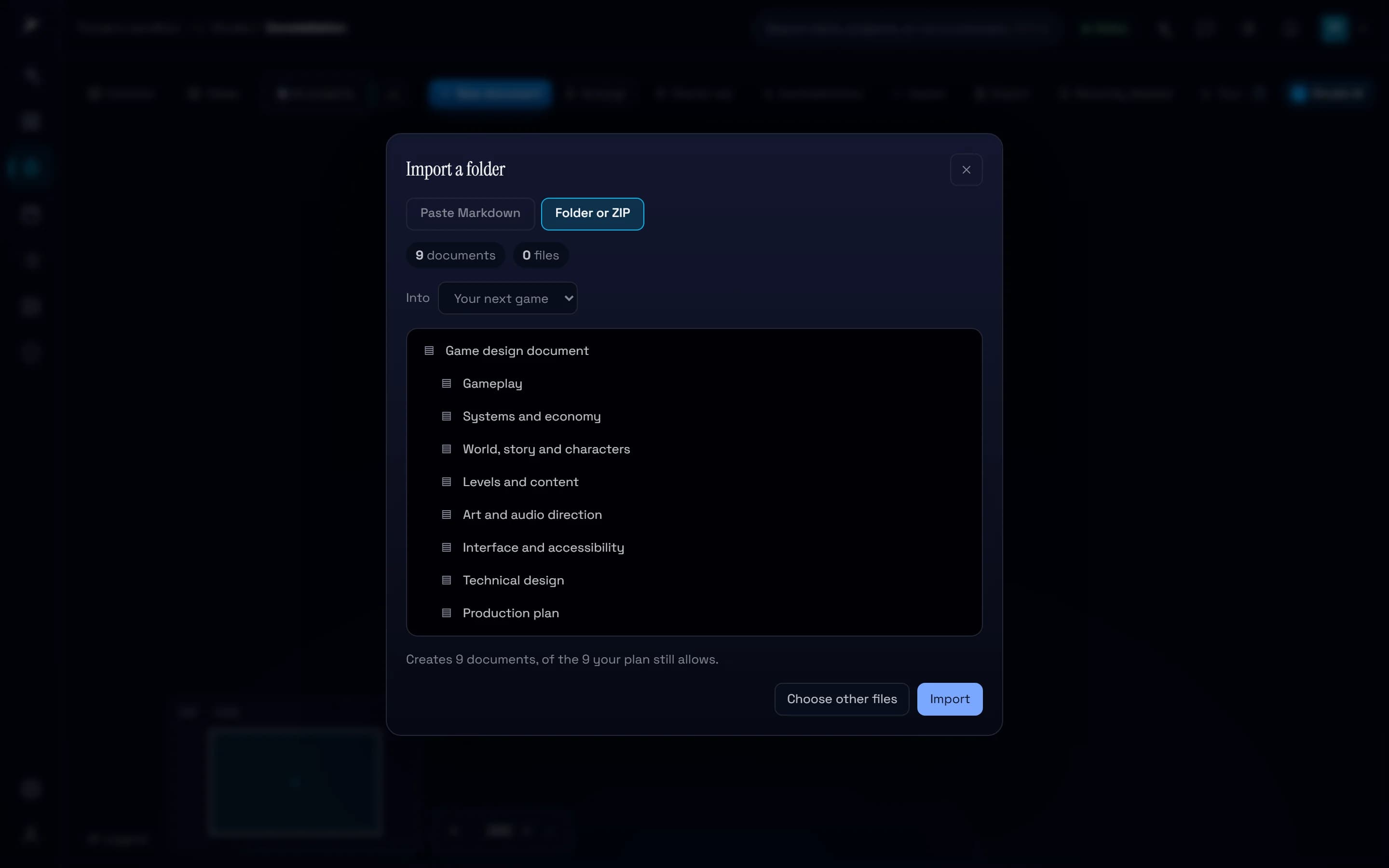
On a project’s map, choose Import, then Folder or ZIP, then Choose a ZIP. The overview arrives with its eight parts filed under it, the links between them kept and the diagrams drawn. From there the team comments, asks for reviews and sees what changed, and agents connected over MCP read the design before they write in it.
Try it in your workflow
- Open the template’s page and read the overview.
- Download the template.
- On a project’s map, choose Import, then Folder or ZIP, then Choose a ZIP, and pick the file.
- Fill in the overview’s table, pitch and pillars first.
The template uses nine of the free plan’s ten documents, the project’s own page included, so it fills a new free workspace.

