Boards that line up. Pieces that stay put.
Shapes now snap to their neighbors’ edges, centers and spacing while you move them, with visible guides. Lock what must not move and choose what sits in front.
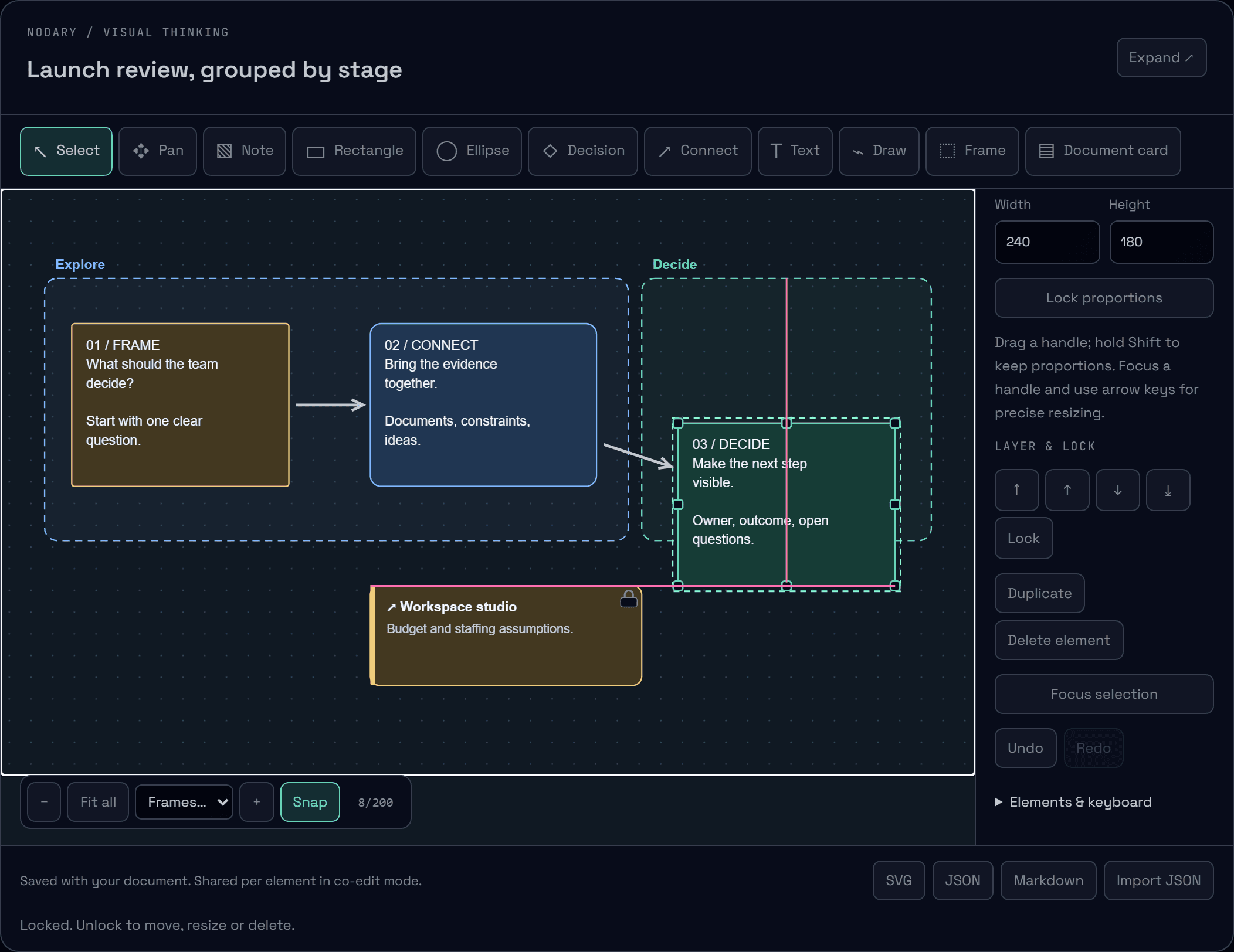
A board is easier to read when things line up, and easier to work on when the background stays where you left it. Moving shapes now helps with alignment, and you decide what can move and what sits on top.
Guides while you move
Drag a shape near another and it settles on the same edge or center, with a pink guide showing the match. Between two neighbors it can settle exactly in the middle, with orange marks for the equal gaps. When nothing is close, it can follow a 24-unit grid. Hold Alt to move freely, or turn Snap off in the canvas controls; the choice is remembered on this device.
Lock what should not move
Select a shape, a frame or a card and choose Lock, or press Ctrl+Shift+L. A locked element shows a padlock, cannot be dragged, resized, aligned or deleted, and selecting empty space around it leaves it out. Its text can still be edited, and the lock is shared with your teammates. Duplicates of a locked element start unlocked.
Say what is in front
Bring to front, bring forward, send backward and send to back are in the inspector, with Ctrl+] and Ctrl+[ (add Shift to go all the way). Frames always stay behind content and are ordered among themselves. Every change joins the board’s undo history.
Try it in your workflow
- Open the example and drag the Decide note near the other notes: watch the guides appear.
- Hold Alt and drag again to move freely, or turn Snap off at the bottom of the canvas.
- Select the document card and lock it; try to move or delete it.
- Select a note and send it to the back, then undo.
Magnetism applies to moving, not to resizing or keyboard nudges, and aligns with shapes, frames and cards but not with connectors or drawings. Snap is a preference of this browser. A lock prevents moving, resizing, alignment and deletion; it does not restrict text editing or who can edit the board. The demonstration keeps changes on this page only.

