Boards with structure. Ideas with their sources.
Group a board into named frames you can jump to and move as one, and pin document cards that open the source behind an idea.
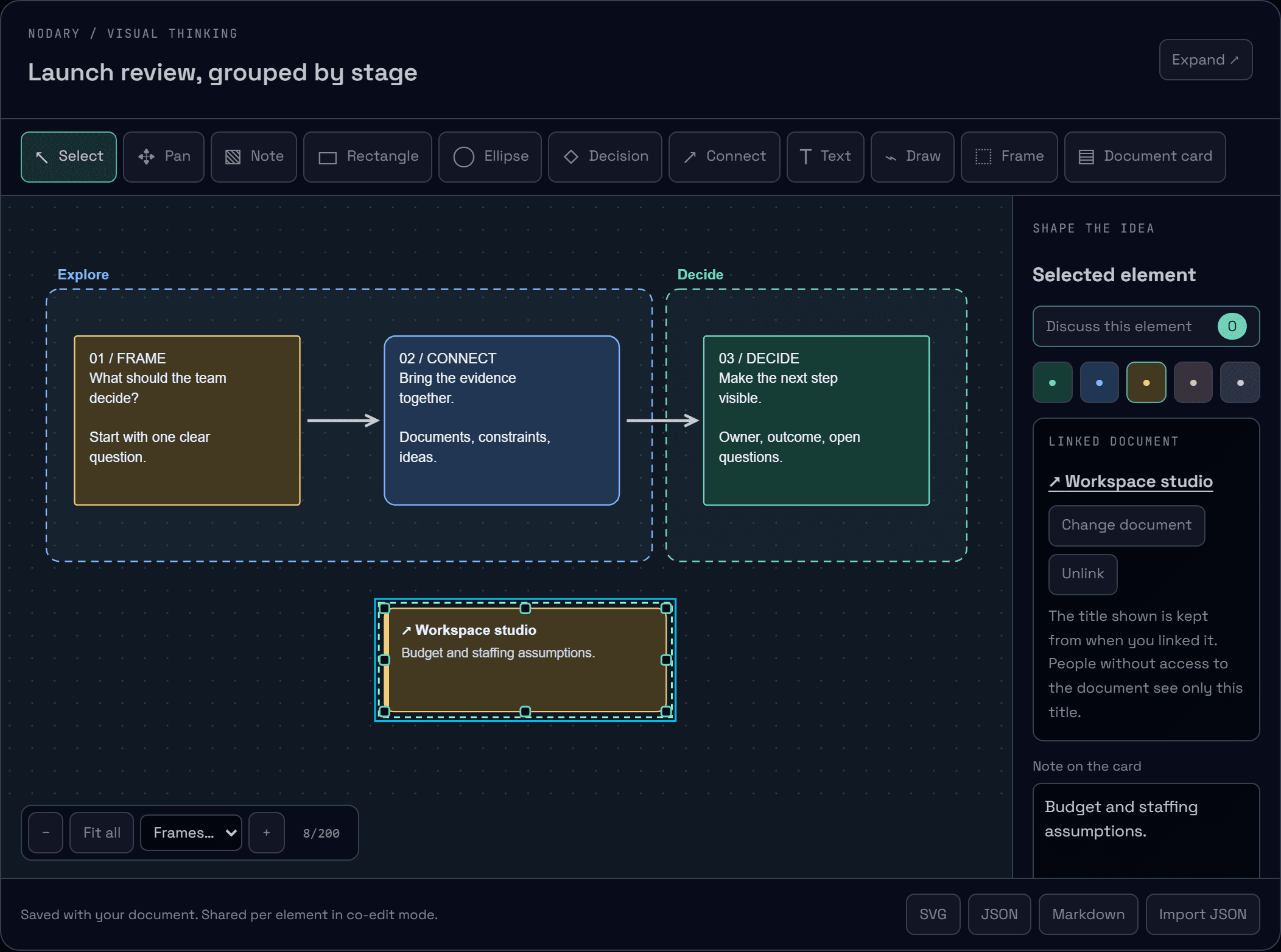
A board grows quickly: a question, a few notes, arrows, then a second topic. Without structure it becomes hard to find your way, and ideas lose track of the documents they came from. Boards now have named frames and document cards.
Frames give the board chapters
Choose Frame and draw around a group of ideas, then name it. A frame stays behind the content, so you can still select what it holds. Grab its edge or its name to move it: everything inside moves with it, including smaller frames. The frame list at the bottom of the canvas takes you straight to one, and the inspector says how many elements it contains.
Cards that point to the source
Choose Document card and pick a document from your workspace. The card shows its title and a short note, and the inspector opens the document, changes the link or removes it. When you share the board, the reader lists every linked document, so the path from an idea back to its evidence stays one click away.
The same structure everywhere
Frames and cards are saved with the document and shared element by element in co-editing: renaming a frame while a teammate edits a card keeps both changes. Undo covers them like any board change. The reader groups notes by frame, Markdown export writes one section per frame with links to the cards’ documents, and SVG export draws frames behind the content.
Public shares now include boards
A shared link now renders the boards of the document, which were previously left out. On public pages, cards show their document title without linking into your private workspace.
Try it in your workflow
- Open the example: two frames, Explore and Decide, and a card linked to a document.
- Choose a frame from the Frames list, rename it in the inspector and move it with the arrow keys: its notes follow.
- Choose Document card, pick a document, then open it from the inspector.
- Switch to Reading & sharing to see linked documents and notes grouped by frame.
An element belongs to a frame when it lies entirely inside it. Frame names are one line of up to 80 characters; frames can reach 8,000 units per side. A card keeps the document title from when it was linked; if the document is renamed, choose it again to refresh the title. People without access to the document see only that title, and opening it follows the usual access rules. Boards still hold up to 200 elements, frames and cards included. The demonstration keeps changes on this page only.

