Take a whole project with you, in one archive.
Export a project as a ZIP: every document in Markdown with its images and files, editable sources for diagrams, boards and spreadsheets, and links that still work offline.
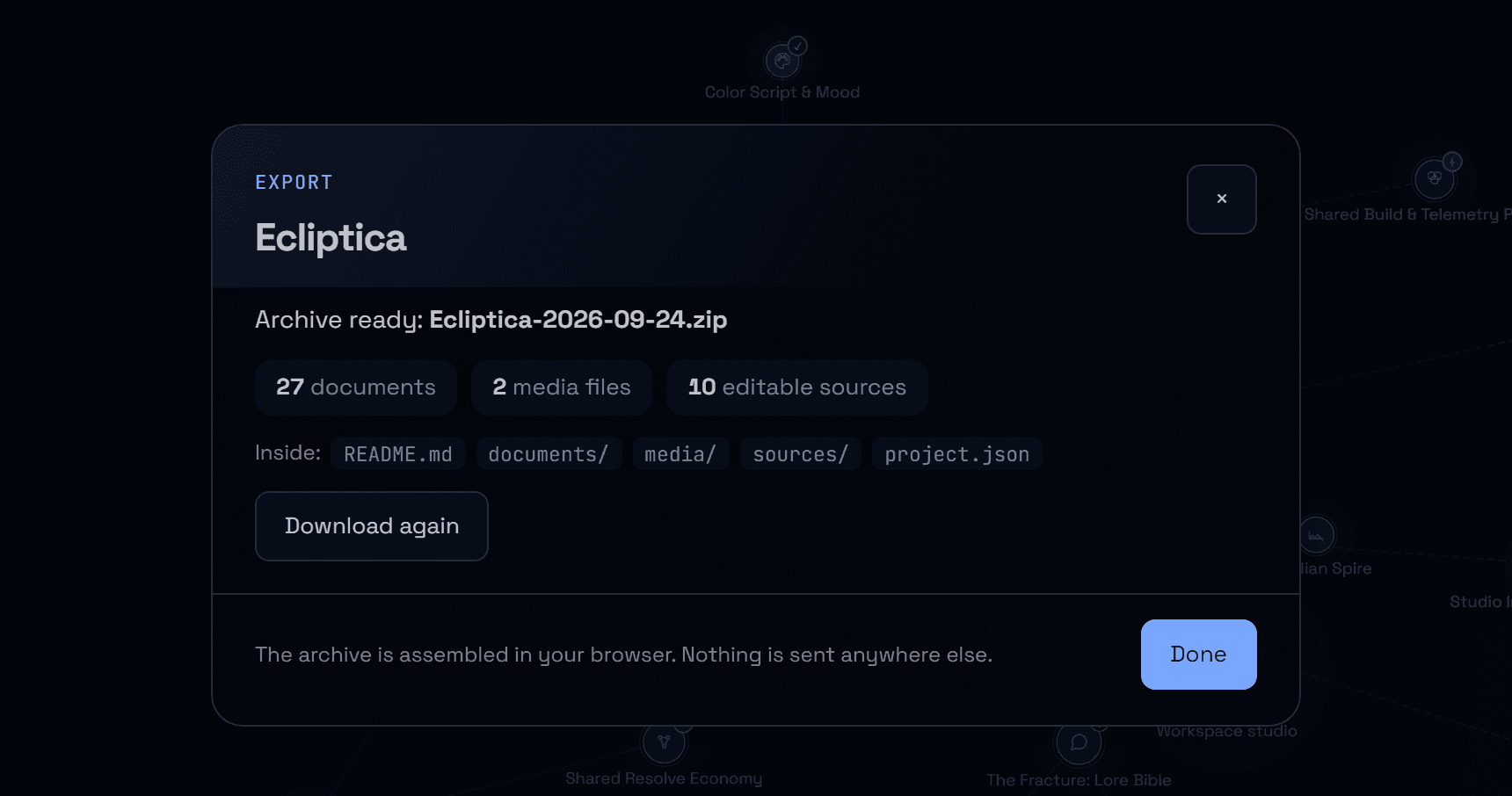
A project is more than its text: images, diagrams, boards, spreadsheets and the links between documents. Exporting used to give one long Markdown file with images left online. The export now produces a complete archive you can keep, share or open anywhere.
Everything in one ZIP
Each document becomes a Markdown file with a short header naming it, filed in folders that follow the project's hierarchy. Uploaded images, videos and files sit in a media folder. Diagrams, boards, spreadsheets, screenplays and code are also saved as editable sources: Mermaid, board JSON with an SVG, CSV, Fountain and code files.
Links that keep working
Links between documents and to media are relative, so the folder reads well in any Markdown editor, on a file share or in a repository, without an internet connection. A link to a document outside the project points back to Nodary. A README lists what is inside, with a linked table of contents, and project.json keeps everything in structured form for tools.
Built in your browser
The archive is assembled on your device, with visible progress and a Cancel button. Files come straight from storage, several at a time, and are retried if the network hesitates. If one still cannot be fetched, the archive is completed anyway: the file is named in the README and keeps a link to Nodary in its document.
Try it in your workflow
- Open the demonstration and choose the Ecliptica project.
- Choose Export, keep Complete archive and press Export.
- Open the ZIP: start with README.md.
- Open a document in a Markdown editor and follow its links and images.
Any member of the project's workspace can export it. Spreadsheets are saved with their values as CSV; formulas are kept in project.json. Very large projects need memory on your device while the archive is built. Links inside the project are relative; links to other projects point to Nodary and need an account there. The demonstration exports its sample project, with the images it contains.

