Everything you can drag, you can now do without dragging.
Reschedule, move a star, file it in a cluster, relate two stars, place a shape, pan a diagram or restore a version with the keyboard or a tap, and every control is big enough for a finger.
Dragging is quick with a mouse and awkward everywhere else: on a trackpad on a train, on a phone, with a keyboard, with a hand that shakes. Nodary no longer makes dragging the only way to do anything.
Plans without dragging
Every calendar card has a Reschedule button that opens the date picker, and Alt with the arrow keys moves a focused card by a day or a week. The card moves at once, the keyboard stays on it, and a screen reader hears the new date. The due date can also be changed from Document details, so on a phone too.
A map you can steer by keys
Alt and the arrow keys move a star, or the whole selection, and the new place is saved and shared like a drop. Move to… files a star in a cluster from a searchable list. Relate ends with Enter on the other star. Shift+Space builds a selection, and cards and frames answer the same keys as stars. On a touch screen every star keeps a target a finger can hit, whatever the zoom.
Boards, diagrams and history
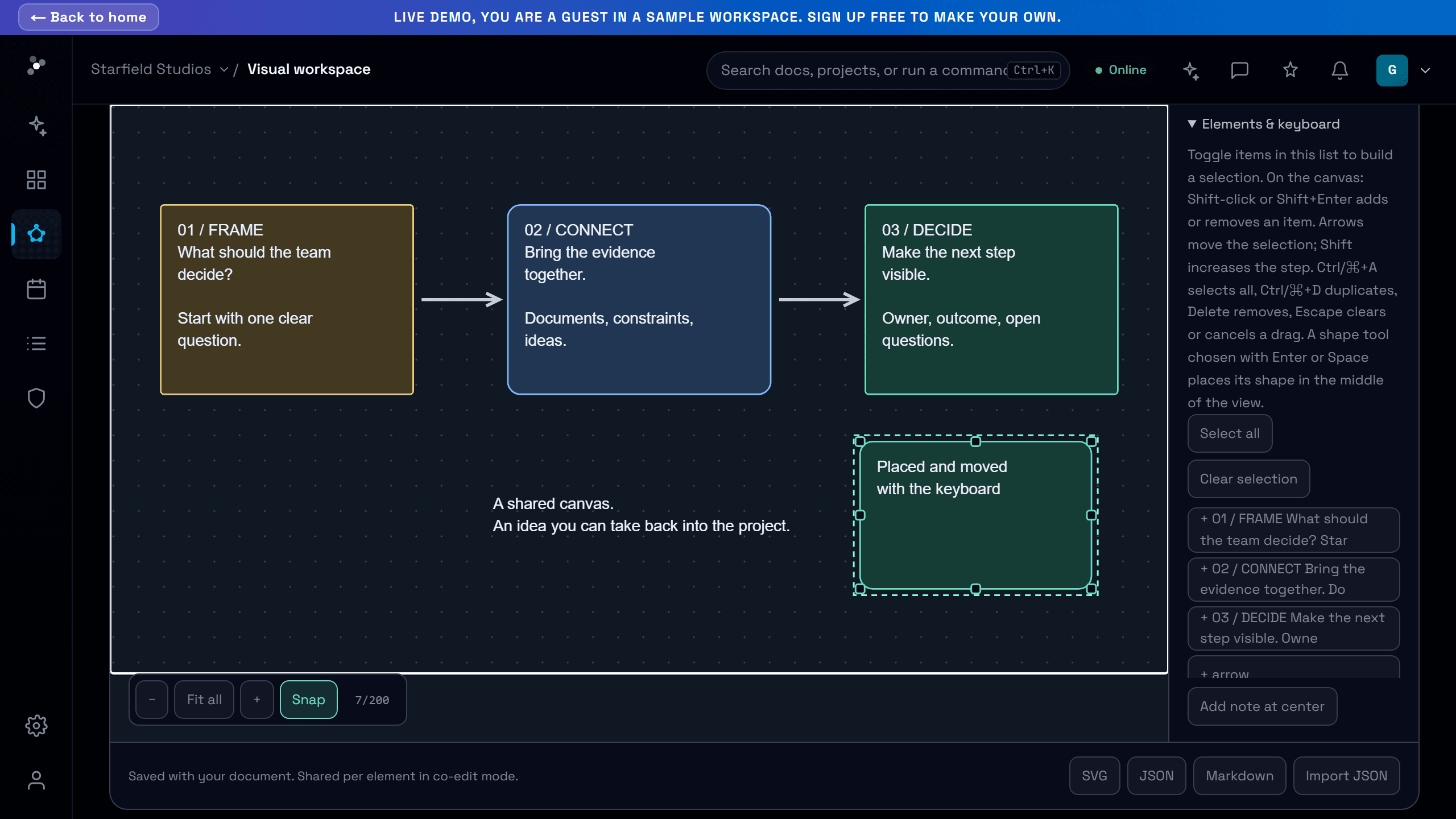
A board tool chosen with the keyboard places its shape in the middle of the view, ready to move with the arrows. An expanded diagram pans with the arrow keys. Each version in the history opens and restores from the keyboard, and the AI panel has an Attach button next to its drop area.
Try it in your workflow
- Open the board demonstration.
- Press Tab until Rectangle, then Enter: the shape appears in the middle.
- Press the arrow keys to move it.
- Open a document in column view, expand its diagram and pan it with the arrows.
Every control measured on the demonstration and on the signed-in pages is at least 24 by 24 pixels, or far enough from its neighbours, on a computer and on a phone. Freehand drawing stays a gesture, and a link inside a document being edited is followed from reading view.

