Back to the passage. On to the next idea.
Preview documents from home, browse with the arrow keys and return to your reading position. A clear document path keeps the project and its folders within reach.
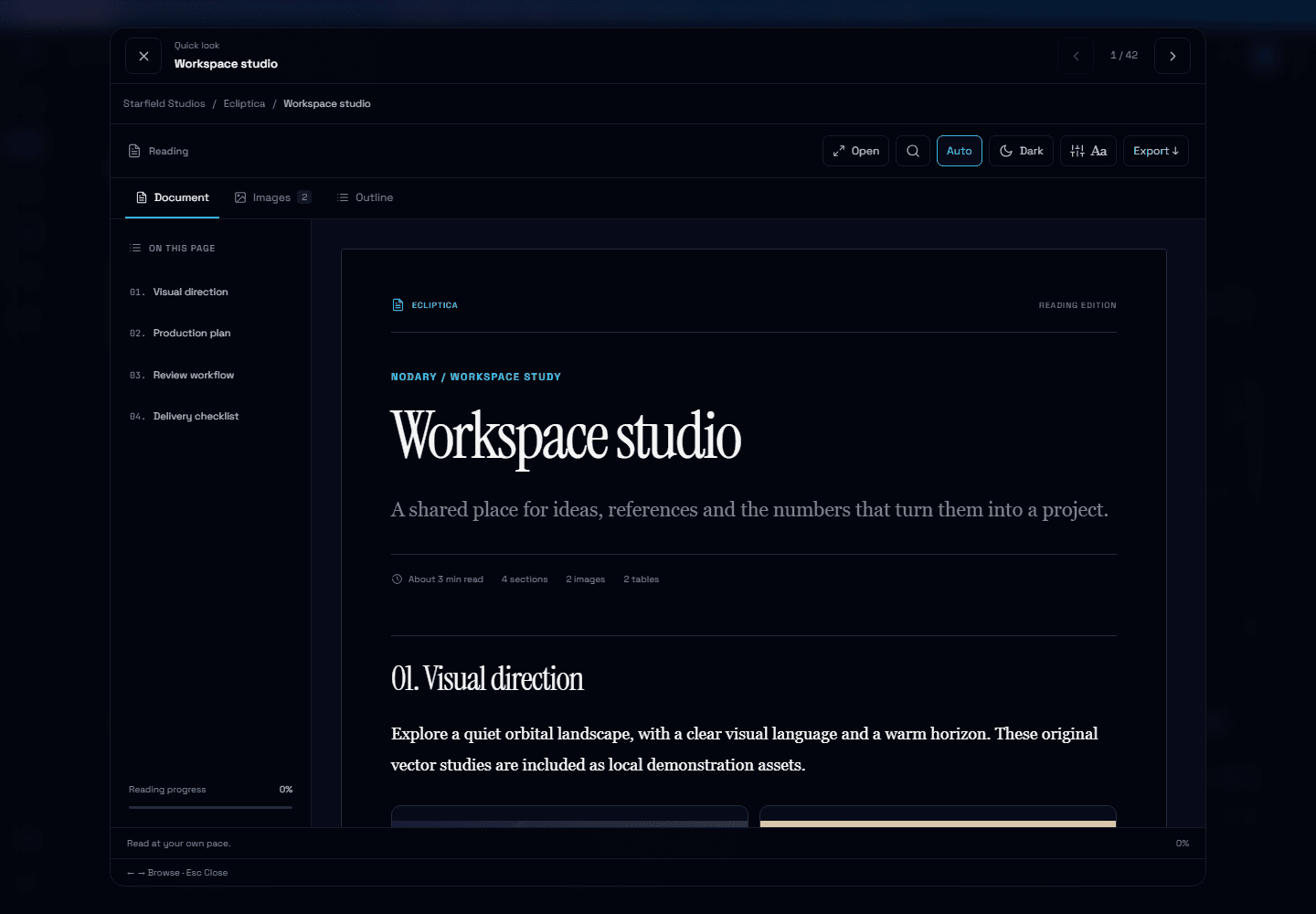
Finding a document is only half the task. The useful detail may be halfway down the page, and the next source may be beside it. This update brings those small transitions together.
Look through documents without leaving your list
From home, choose a document’s preview button or focus its title and press Space. Left and right arrows move through the filtered collection; the column browser uses the current folder or search results. Previous and next buttons work on touch screens too. Escape closes the preview and returns focus to where you opened it. Reading tabs and input fields keep their own keyboard controls.
Return to the passage you left
The reader remembers your position in this browser. Home offers your last visited document when it is still in your accessible library. The saved position uses a block reference and an offset, so it can follow the passage when content above it changes. If that block has disappeared, the reader falls back to your progress through the document.
Keep the document’s location in view
A document path shows the workspace, project, folders and current document in readers and column browsing. Follow a project or folder link to explore its neighbors. The same location component is also available in the editor.
Try it in your workflow
- Open the example home and choose a document preview, or focus a document title and press Space.
- Use the left and right arrows to browse. Escape returns to the list.
- Read further down a document, close it and return home. Choose Continue to pick up the passage in the same browser.
Reading positions are local to the browser and workspace, with up to 100 document references. They do not sync across devices and do not store document text or titles. Browser storage must be available. A removed or inaccessible document is omitted from the home shortcut. This is navigation memory, not an offline backup of document edits. The public example contains demonstration data.

