Shape the whole idea together.
Select a set of notes, move a connected flow and give every idea its space. Boards now offer group editing, alignment and duplication that keeps internal connections intact.
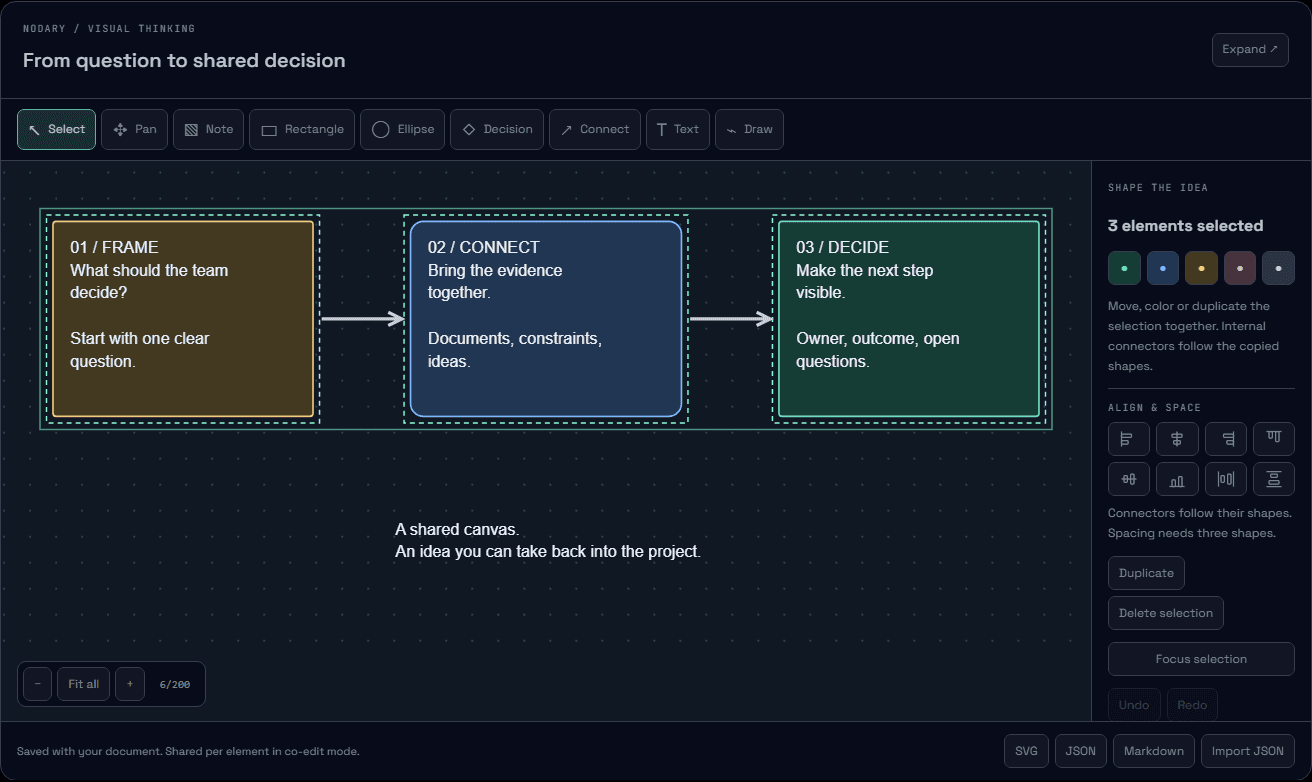
A workshop rarely moves forward one sticky note at a time. When a set of ideas belongs together, you can now select it, arrange it and carry its connections into the next version of the board.
Select the part you want to work on
Drag a selection box over empty canvas to select the elements fully inside it. Shift-click adds or removes an element; Shift-drag adds another area. Keyboard users can select a focused shape with Enter and extend the selection with Shift+Enter. On a phone, toggle items in Elements & keyboard without needing a modifier key.
Give the group room to breathe
Drag any selected shape to move the selection, or use the arrow keys for small steps and Shift for larger steps. Align edges or centers, distribute three or more shapes with equal gaps, apply a shared color and focus the view on the selection. Attached arrows follow their shapes; alignment and spacing act on the shapes themselves.
Explore a variation without rebuilding its links
Duplicate selected shapes and their internal connectors are copied with new endpoints. Original shapes and links stay in place. A separately selected connector whose endpoints are outside the copied group becomes a free arrow with the same visible path. Group deletion also removes links incident to deleted shapes. Undo and redo treat each group operation as one change.
Keep an interrupted gesture under control
Escape cancels a drag before it is saved. During a move, the board applies the final displacement to the latest received scene, retaining received text edits and leaving deleted shapes deleted. The selection itself stays local to your view. Text fields keep their normal editing shortcuts.
Try it in your workflow
- Open the example and select the first note, then Shift-click the second shape.
- Choose Duplicate: the two copies include their internal arrow. Move a selected shape to move the copies together.
- Select three shapes to try alignment and spacing. Use Focus selection to inspect the result.
- In a saved document, insert or open a Visual board. On a phone, open Elements & keyboard and toggle the items you need.
The public example resets on reload. Selection is temporary, not a saved group or frame. Duplicating a selection is refused as a whole if its shapes and links would exceed the 200-element creation limit. Boards still merge per element; simultaneous edits to the same element use a winning version, not field-level merging. Automated tests cover concurrent changes and saved-state reopening; a production session with two authenticated accounts remains a separate validation. This release does not add shared cursors, anchored comments or voting.

