Wide tables and diagrams that stay readable on paper.
A table or diagram too wide for the page now moves to a landscape page, shrinks a little, or splits into parts that repeat its first column, instead of cutting words in half.
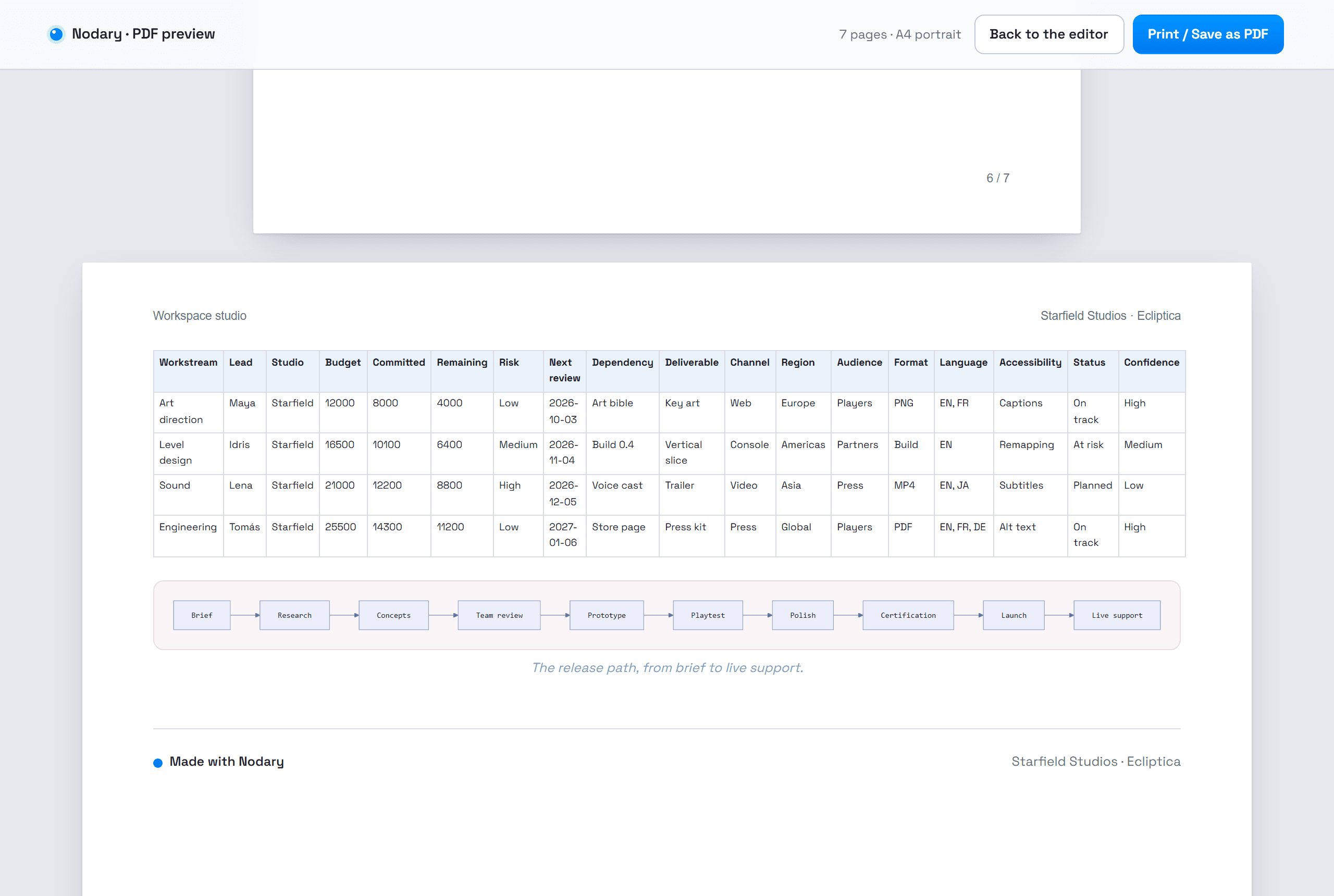
A planning table with a column per month, or a release path with ten steps, reads well on a wide screen. On an upright page it used to lose: columns squeezed until words broke in the middle, diagrams shrunk until their labels were unreadable. The PDF preview now places wide content deliberately.
Landscape where it helps
By default, a table or diagram too wide for an upright page moves to a landscape page, with its heading, while the rest of the document stays upright. The preview shows the turned page, and Save as PDF prints it turned. Tables that fit stay where they are, with words kept whole.
Split by columns, never cut in words
A table too wide even for a landscape page is split into parts. Each part repeats the first column, so every row keeps its name, and is labelled with the columns it holds. A table with merged cells, which cannot be split safely, is shrunk instead.
Your choice of layout
Wide content offers three settings. Automatic turns pages only where it helps. Shrink to fit keeps every page upright: tables shrink a little while text stays readable, then split. Landscape pages turns every wide block. The preview names what it changed, for example two blocks on landscape pages.
Try it in your workflow
- Open the demonstration document and its PDF preview, then go to Year at a glance.
- See the eighteen-column table and the release path on a landscape page.
- Choose Shrink to fit under Wide content and look at the three parts of the table.
- Save as PDF: the pages print exactly as previewed.
Width is measured from the document as your browser shows it, with its fonts: the same table can be placed differently on another device. Readable size is kept at about seven tenths of the normal size before a table is split. Landscape pages are only used in an upright document. Diagrams are never split: they shrink to the page, or turn when that keeps their text larger. Printing uses the same layout; some printers ignore page orientation and rotate the page instead.

