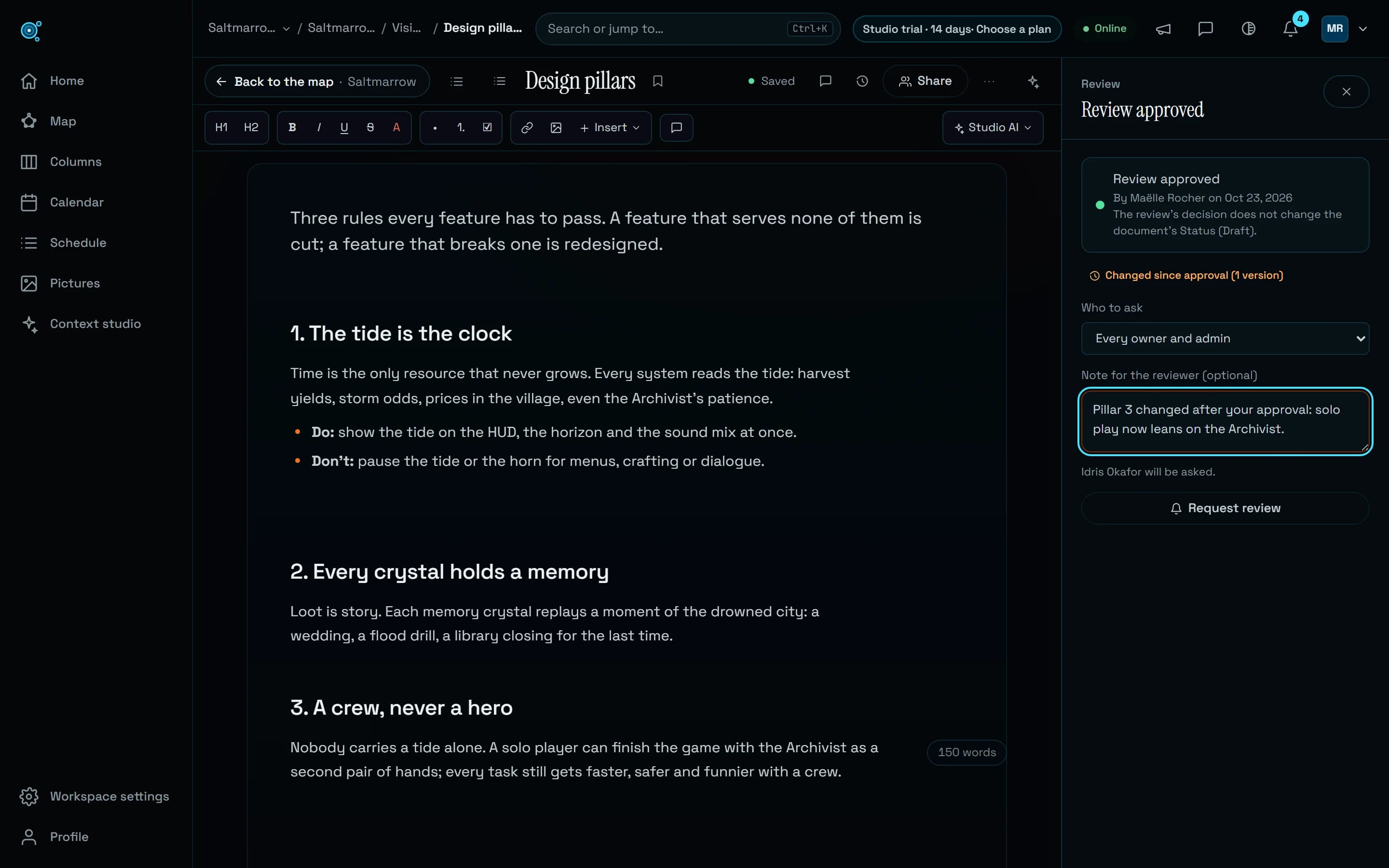
One email a day, and what waits for you on Home.
Email digests now means one email a day, in your morning. Home lists the reviews, mentions, replies and dates that wait on you, and every notification email has a one-click unsubscribe.
Nodary’s default email setting, Email digests, did not keep its word: every mention, reply, assignment and review was emailed the moment it happened, so a busy day in the project meant a busy inbox, and what waited for you was spread between the bell and your email. Date reminders reached only a document’s owner, and only in the bell. The setting now does what it says, Home gathers what waits on you, and every notification email can be turned down from the email itself.
One email a day, in your morning
Under Email digests, the default setting, work notifications no longer arrive one by one. Once a day, in your morning from 8:00 on your clock, one email gathers what is new since the last one and still unread, workspace by workspace and project by project: the reviews waiting on you, mentions of you, replies in your discussions, and your documents overdue or due within two days, the most important first. A short line follows with what else is new, such as new comments on your documents, documents assigned to you, status changes and review decisions. Every link opens the right workspace, and a long list ends with how many more wait in Nodary. When nothing is new, no email goes out. Emails about your access, such as someone joining, a role changed or a request to join, still come at once, because someone may be waiting. All emails keeps every email at once, as before; In-app only and Off send none.
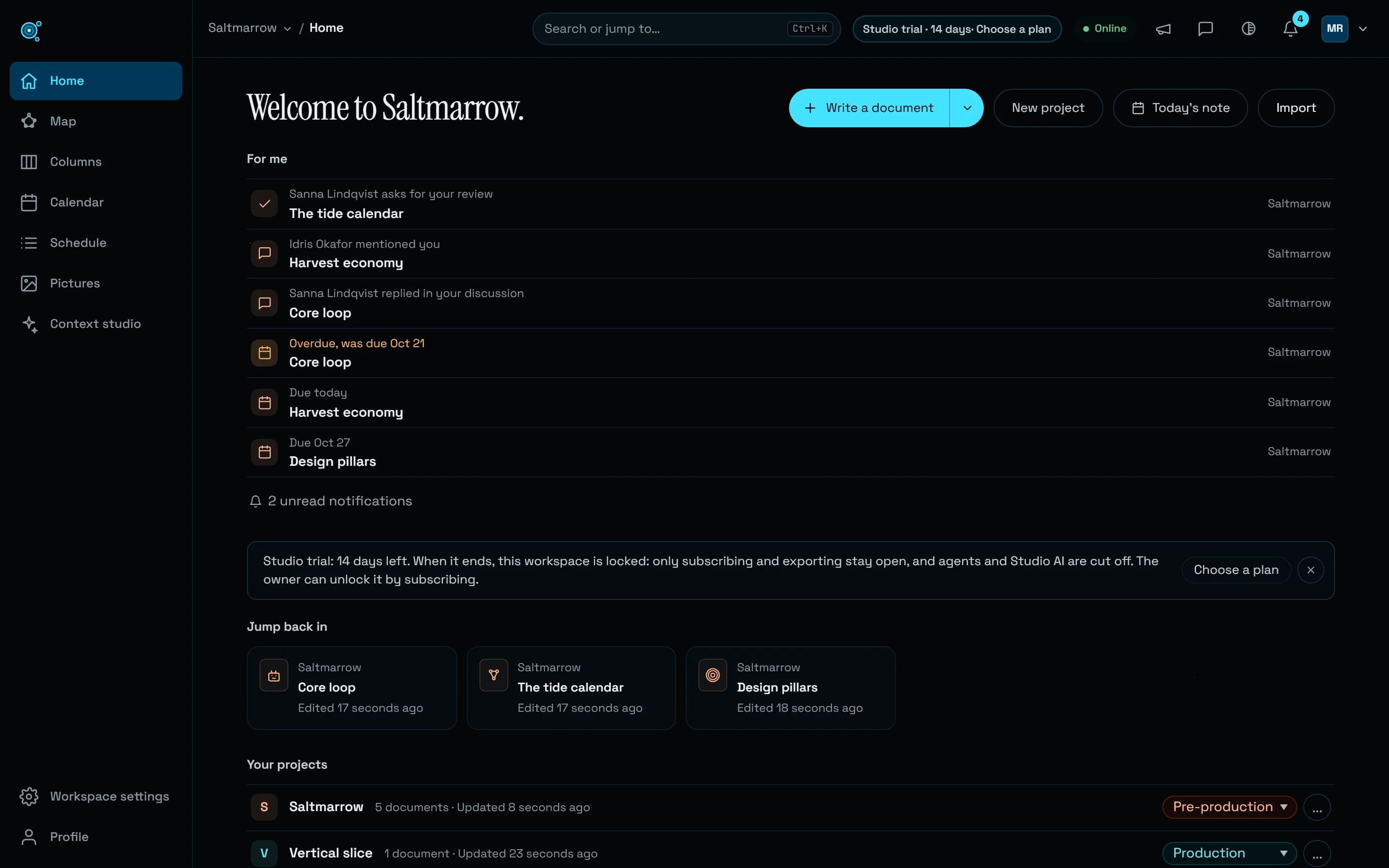
For me, at the top of Home
When something waits on you, Home now opens with For me: the reviews asked of you, by name or of every reviewer when you are one of them; the mentions of you and the replies in your discussions you have not read; and your documents overdue or due within seven days, those assigned to you and those you own with nobody assigned. Each row says who and what, names its project and opens the right place: the review panel, the discussion or the document. Opening a mention or a reply marks it read. A long list shows its first rows and how many more wait for you, which open in place, and the unread count at its foot opens the bell. Muted projects, documents and threads, archived projects and projects you do not see stay out. For me hides itself when nothing waits.
Dates remind the person doing the work
A due date now reminds the document’s assignee as well as its owner, once if they are the same person: the day before, on the day and the day after, each in that person’s morning. Before, only the owner was reminded, and only in the bell. The reminder rings the bell and reaches email as each person chose: inside the daily email under Email digests, at once under All emails, with one email for several documents. Finished documents, templates and archived projects remind nobody.
Your morning, on your clock
Preferences, in your Profile, now has a Time zone field. It is filled in from your browser the first time you open Nodary after this release, and stays yours to change: search for a zone, see the time it is there, or take this device’s zone in one click. The daily email and the date reminders follow it. A person who has not opened Nodary since then is counted in UTC.
Emails you can turn down from the email
Every notification email now ends with Manage these emails, which opens your settings, and Unsubscribe; mail apps that show their own unsubscribe button use it in one click. The page an Unsubscribe link opens changes nothing until you choose: stop emails about this kind of thing, which you still see in Nodary; stop the daily email; stop all notifications about a project, which mutes it in Nodary too; or, if you receive every email, get one email a day instead. Such a link can only lower what you receive. Preferences lists each kind you stopped, with Resume. Replies to these emails are not read, and they say so: a discussion email offers Reply in Nodary, and a reply sent anyway comes back saying where to answer.
Your other workspaces, at a glance
If you belong to several workspaces, the workspace switcher in the top bar shows a dot when another one has unread notifications, with the count beside each workspace in its menu and in All workspaces. Agents connected over MCP read the same list with my_inbox, and the same counts in list_workspaces.
Try it in your workflow
- Open your Profile, then Preferences: under Notifications, Email digests sends one email a day, and Time zone sets when it comes.
- Open Home: For me lists what waits on you, and each row opens its review, discussion or document.
- Give a document an assignee and a due date: they are reminded the day before, on the day and the day after.
- In a notification email, choose Manage these emails or Unsubscribe to change what you receive.
The daily email goes out in your morning, between 8:00 and noon on your clock, and lists ten lines at most per list before saying how many more wait. Reminders, For me and the daily email count only documents in projects you see. The live demo has no notifications of its own: For me and the daily email work in a workspace of yours, Free included.